
🏌️
Building your athlete profile
Add your photo, bio, grad year, academics, swing videos and contact details.
- 1
Open your dashboard
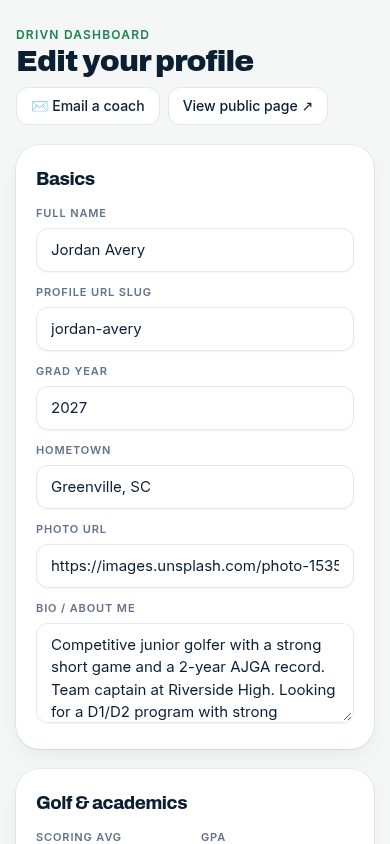
After signing in you land on your Drivn dashboard. Use “Edit your profile” to fill in each section, then Save.
- 2
Golf & academics
Add grad year, hometown, team, GPA and test scores. Choose Men's golf or Women's golf so College Fit uses the right rankings.
- 3
Bio and swing videos
Write a short “Bio / about me” and paste YouTube or Vimeo links for your swing videos — they play right on your profile.
- 4
Check your public page
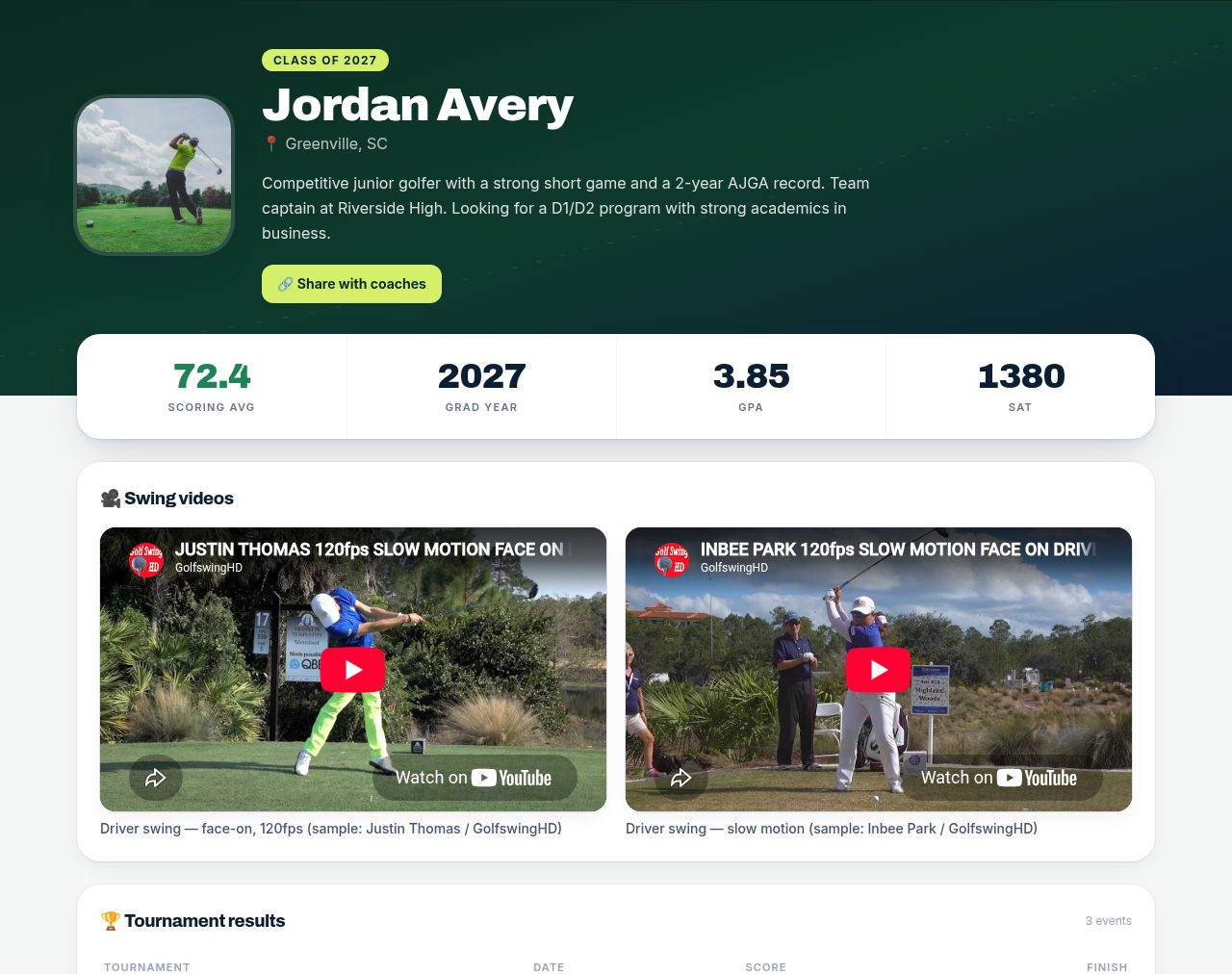
Tap “View public page ↗” to see exactly what a college coach sees.
Tips
- Keep your bio to a few sentences: goals, best finishes, what you're looking for in a program.